Uncertainty Calculator
An Obsidian plugin that carries measurement uncertainty through a calculation — input forms, significant figures, expanded uncertainty, uncertainty budgets, and Monte Carlo, following the GUM.
Uncertainty Calculator is a community plugin for Obsidian that carries a ± all the way through a calculation. Write a calc block, enter measured quantities with their uncertainties, and reference them in later formulas — the plugin propagates the uncertainty (with correct correlations), rounds to significant figures, and, on request, reports an expanded uncertainty, an uncertainty budget, or a full Monte Carlo distribution. It grew out of wanting the convenience of Python's uncertainties, R's errors, or LaTeX's siunitx without leaving my notes.
Opens the plugin page in the app.
MIT licensed.
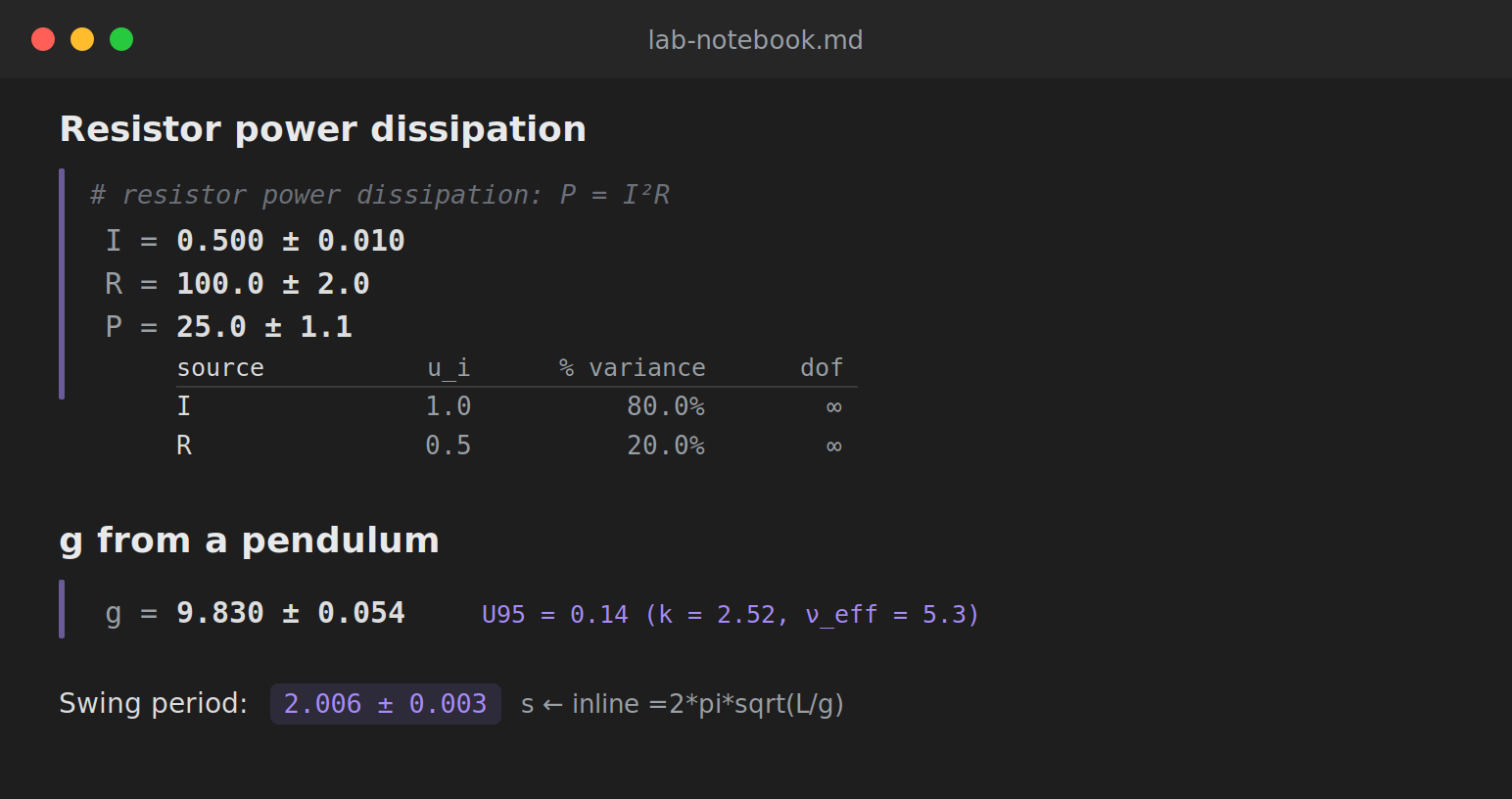
A calc block rendered in a note: assignments build a running scope, and each line reports its value with a propagated uncertainty.
How it works
Add a fenced code block with the language calc. Each line is a comment, an assignment (name = expr), or a bare expression; assignments accumulate so later lines can build on earlier results. A trailing | flag asks for more than the bare value — budget, expand, or mc.
```calc
# g from a pendulum: Type A period, Type B length
L = 1.000 ± 0.002
T = typeA(2.01, 2.00, 2.02, 1.99, 2.00)
g = 4 * pi**2 * L / T**2
g | expand
```
Measured quantities can be written as 9.81 ± 0.02, a relative 200 ± 2%, the compact 1.234(12), a Type A sample typeA(2.01, 2.00, ...) (mean ± standard error), or a Type B bound with a distribution such as 0.05 [rect]. In ordinary text, an inline code span that begins with =, like =2*pi*sqrt((1.0 ± 0.002)/(9.81 ± 0.02)), is replaced by its value.
Why propagate distributions?
The usual (linear) method approximates a formula by its slope at the estimate. That is exact for sums and scalings, but for a nonlinear function it can get both the value and the width wrong. The | mc flag instead samples the full input distributions and re-evaluates — and the difference can be large. Squaring a measurement, for example, shifts the mean upward and skews the result, neither of which a symmetric ± can express:
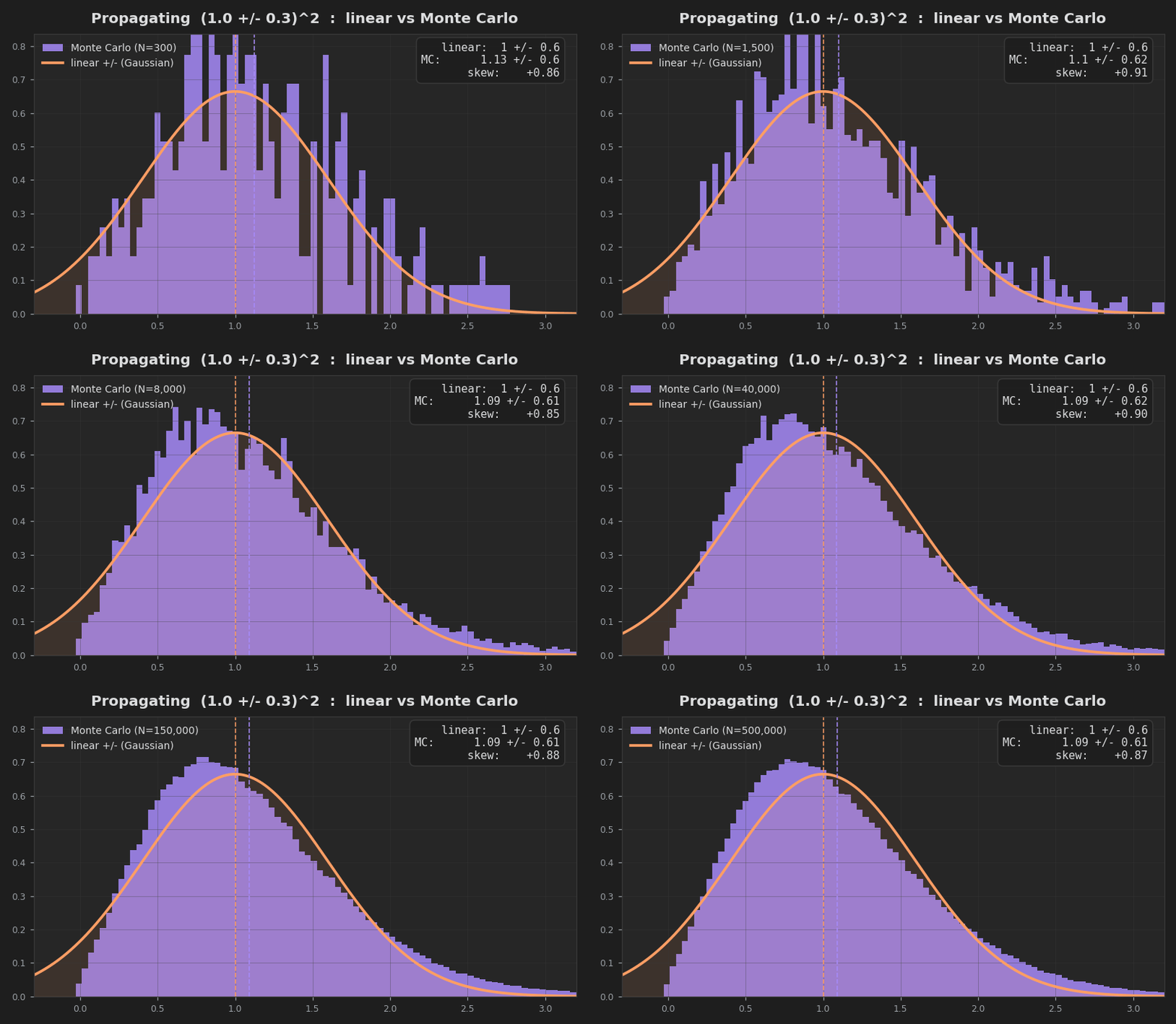
The Monte Carlo distribution emerging as trials grow, next to the fixed linear approximation.
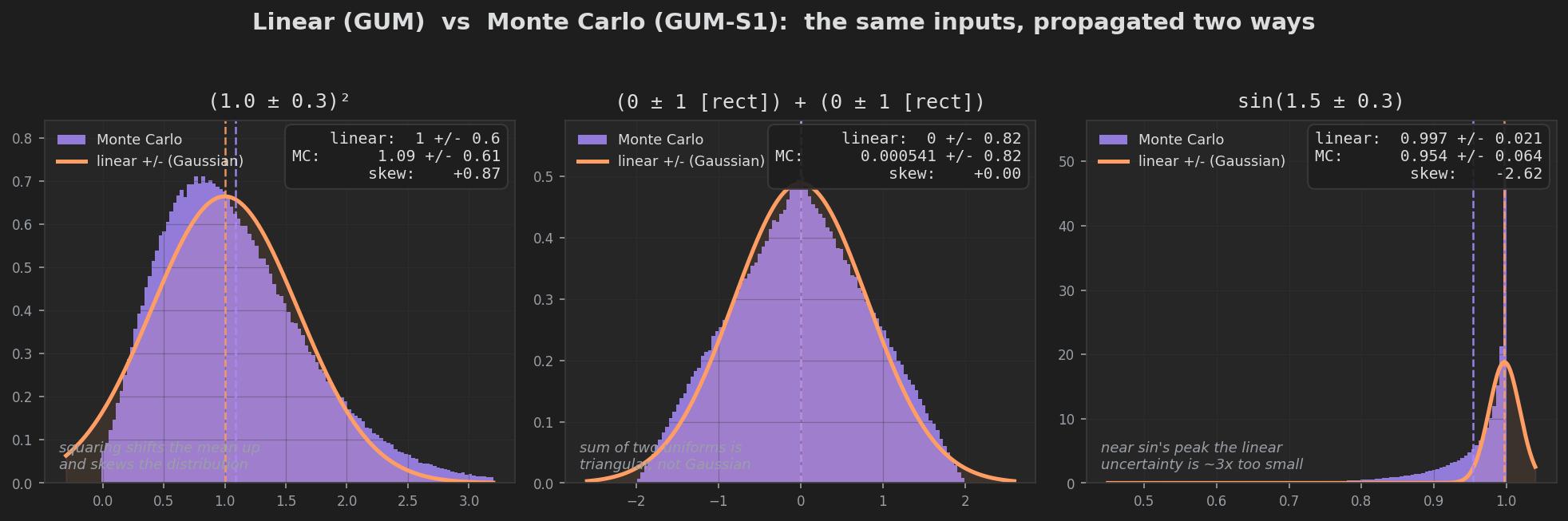
Three cases where the linear approximation visibly fails, each against the Monte Carlo distribution from the same inputs.
What's inside
- A calculation sheet — assignments build a running scope, so a formula can reference earlier measured quantities, like a spreadsheet that understands uncertainty.
- Every input form — standard uncertainty (
±), relative (%), compact1.234(12), Type A from repeated readings (typeA(…)), and Type B distribution bounds ([rect],[tri],[k=2]). - Correlation-correct propagation — a reused variable stays correlated with itself, so
x - xis exactly zero, while two independent measurements do not spuriously cancel. - Expanded uncertainty — a coverage factor from the Student-t at the Welch–Satterthwaite effective degrees of freedom, so a Type A input with few readings widens the interval as it should.
- Uncertainty budget — a table of how much each source contributes to the combined uncertainty, with the dominant term flagged.
- Monte Carlo (GUM Supplement 1) — propagation of distributions for nonlinear or non-Gaussian problems, reporting the mean, standard deviation, coverage interval, and skewness.
- A tested core — the numerical engine is an independent TypeScript implementation, cross-checked test-for-test against Python's
uncertainties,pint,scipy, andnumpy.
Install
In Obsidian, open Settings → Community plugins → Browse, search for Uncertainty Calculator, install, and enable it. Then add a calc code block to any note. The plugin is free and open source under the MIT license.
Found a bug or want another feature? The issue tracker is open.