MeshToFeatures
A FreeCAD workbench that reverse-engineers STL meshes of prismatic parts back into editable PartDesign bodies — surface recognition, design-intent snapping, and build-history reconstruction.
MeshToFeatures is a workbench for FreeCAD that takes a triangle mesh — the STL you downloaded, were handed, or whose original CAD file is long gone — and rebuilds it as a native, fully editable PartDesign body. It started with a familiar frustration: an STL is a dead end. You can print it, but you cannot resize a hole, deepen a pocket, or move a boss. This workbench walks the road back: it recognizes the analytic surfaces hiding in the triangles, snaps their parameters to the design intent they came from, infers a plausible build history, and hands you real sketches, pads, pockets, and holes you can edit.
LGPL-2.1-or-later.
First public beta — reports welcome.
From triangles to a feature tree
Each rebuild produces two things: a reconstruction group holding the recognized analytic surfaces, and a PartDesign body whose feature tree reads like the part's manufacturing story — terraces, hole patterns, counterbores, cross-holes, lateral pads.
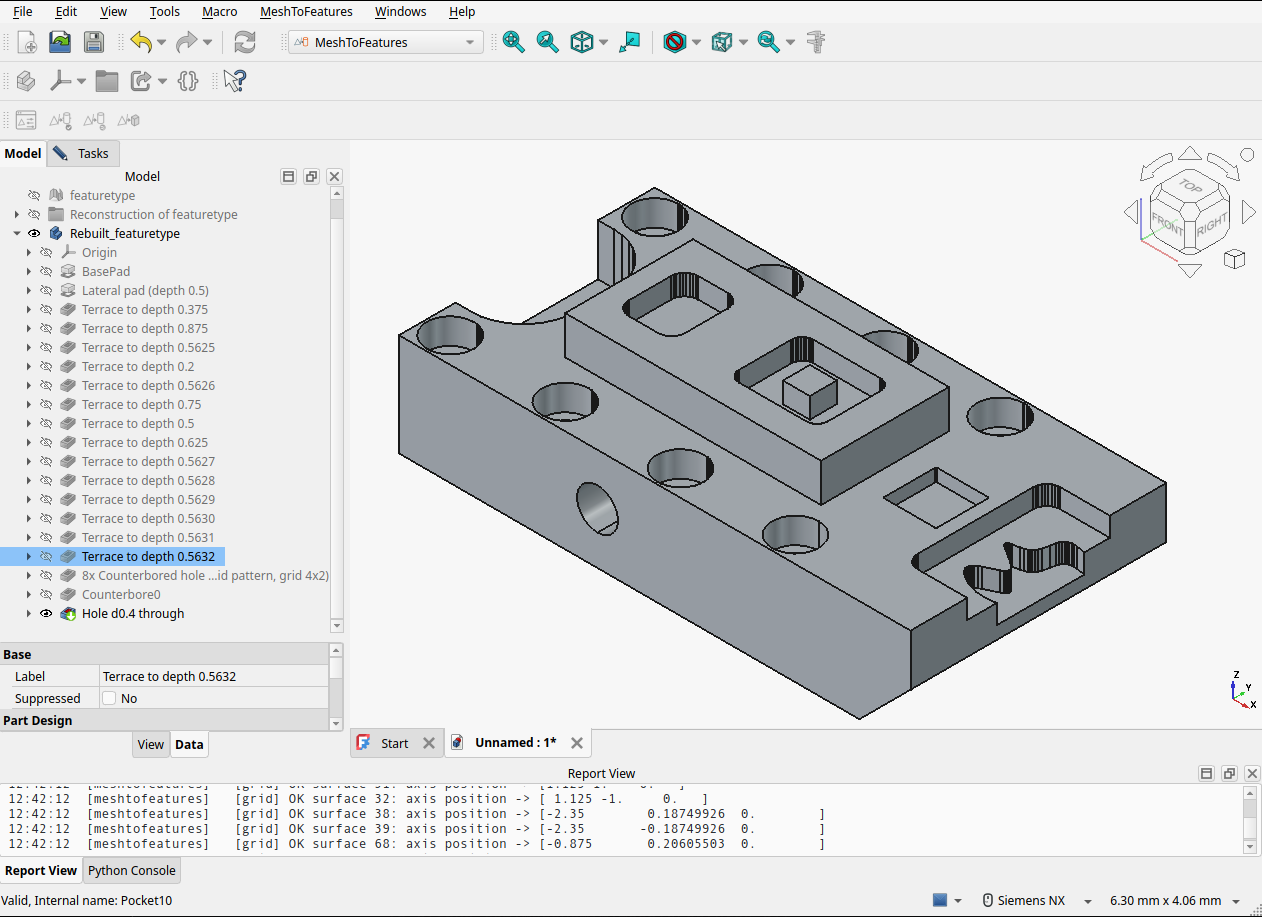
A machined test part rebuilt feature by feature: fifteen terraces, an 8× counterbored hole grid, a cross-hole, and a beveled lateral pad — all editable.
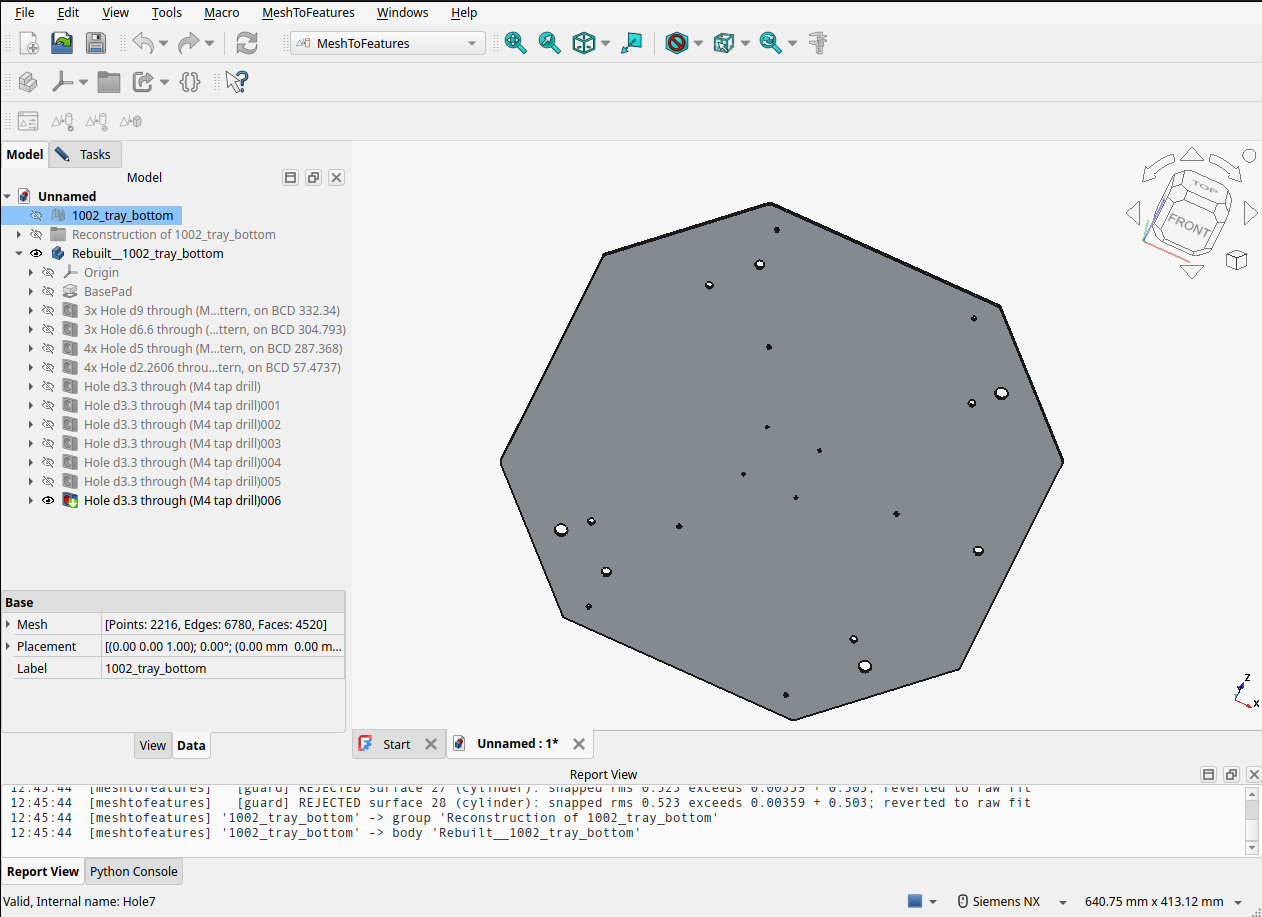
Pattern recognition with design-intent labels: bolt circles with their BCDs, and 3.3 mm holes identified as M4 tap drills.
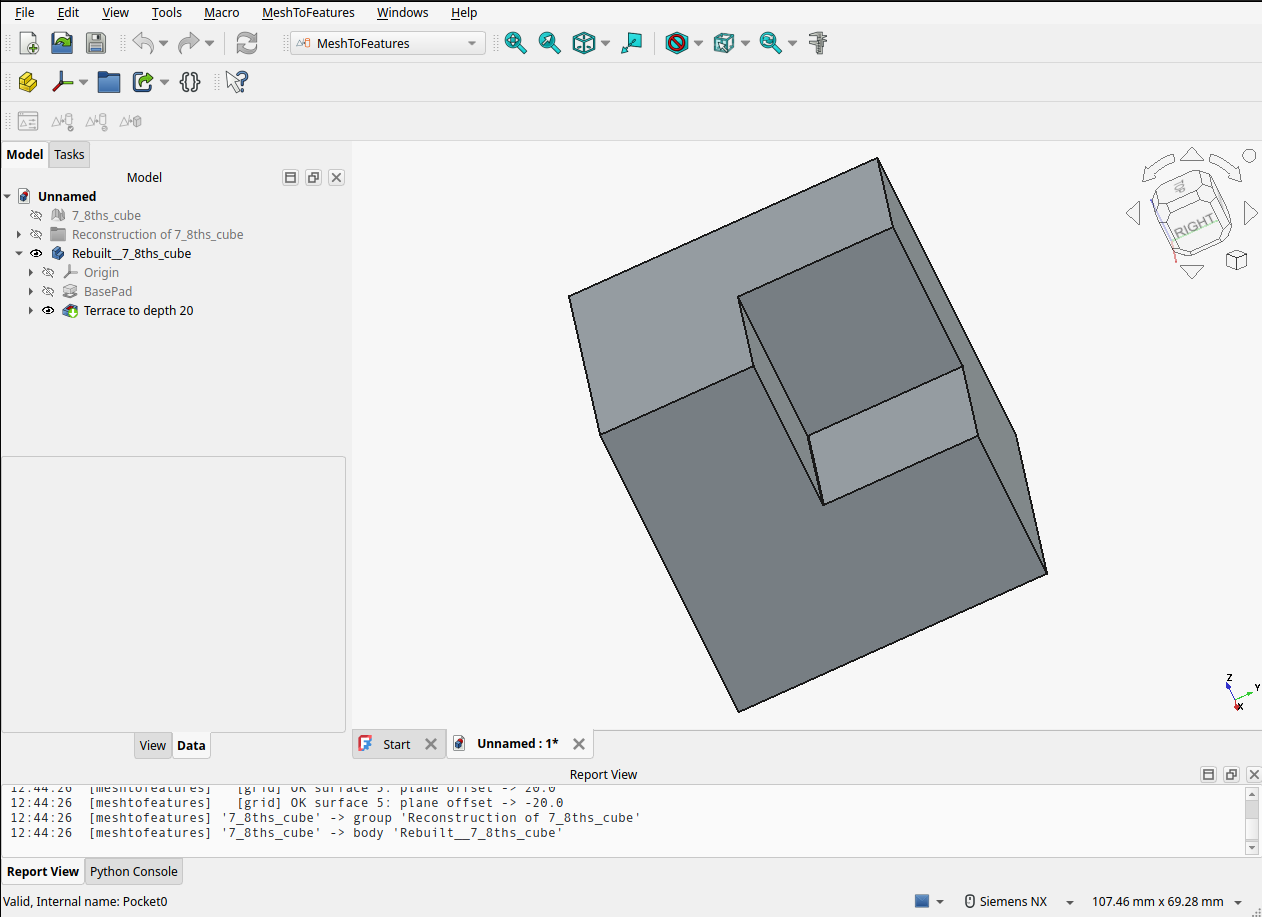
Orientation is detected, not assumed: a rotated part reconstructs in its own working frame.
How it works
The pipeline has four stages. Segmentation & recognition region-grows the mesh into patches and fits analytic surfaces (planes, cylinders) to each. Snapping then nudges the raw fits toward design intent — near-parallel directions unify to canonical axes, coaxial cylinders merge, near-equal radii equalize, and values round to grid-friendly numbers — with every decision logged to an audit trail, and a guard that reverts any snap the mesh contradicts. Feature detection turns surfaces into semantics: holes, counterbores, pockets, steps, bosses, patterns. Finally the executor replays the inferred history as native PartDesign operations, with per-feature failure recovery so one stubborn boolean degrades a single feature — loudly — rather than the whole part.
The geometry core is FreeCAD-free (numpy / scipy / trimesh / shapely), which is what makes the 300+ test pytest suite and the multi-part regression gate possible outside the GUI.
What it handles — and what it doesn't
The sweet spot is prismatic parts: plates, brackets, housings, fixtures — the world of planes and cylinders. Within that scope it rebuilds base solids from arbitrary footprints, multi-depth stepped pockets with islands, through and blind holes, grid patterns, counterbores (including bores opening below the top face), cross-axis holes, and lateral flanges and gussets with true-slope undersides.
Honest limits, per the beta label: organic and 3D-scanned shapes are out of scope; chamfers are detected but not yet rebuilt; and dimensional fidelity is bounded by the mesh tessellation (snapping works at roughly 0.1% of the part diagonal). The README spells all of this out.
Install
In FreeCAD (1.1+), open Edit → Preferences → Addon Manager and add https://github.com/MasoudMiM/MeshToFeatures as a custom repository, then install MeshToFeatures from the Addon Manager and restart. The geometry core needs a few Python packages inside FreeCAD's interpreter (numpy, scipy, trimesh, shapely) — the Addon Manager will offer them, and the verification guide covers each platform.
This is a first beta. If a part reconstructs badly, the most useful bug report in the world is the STL itself plus the Report view output — the issue tracker is open.